

Scaling Adobe® InDesign® output with CHILI GraFx
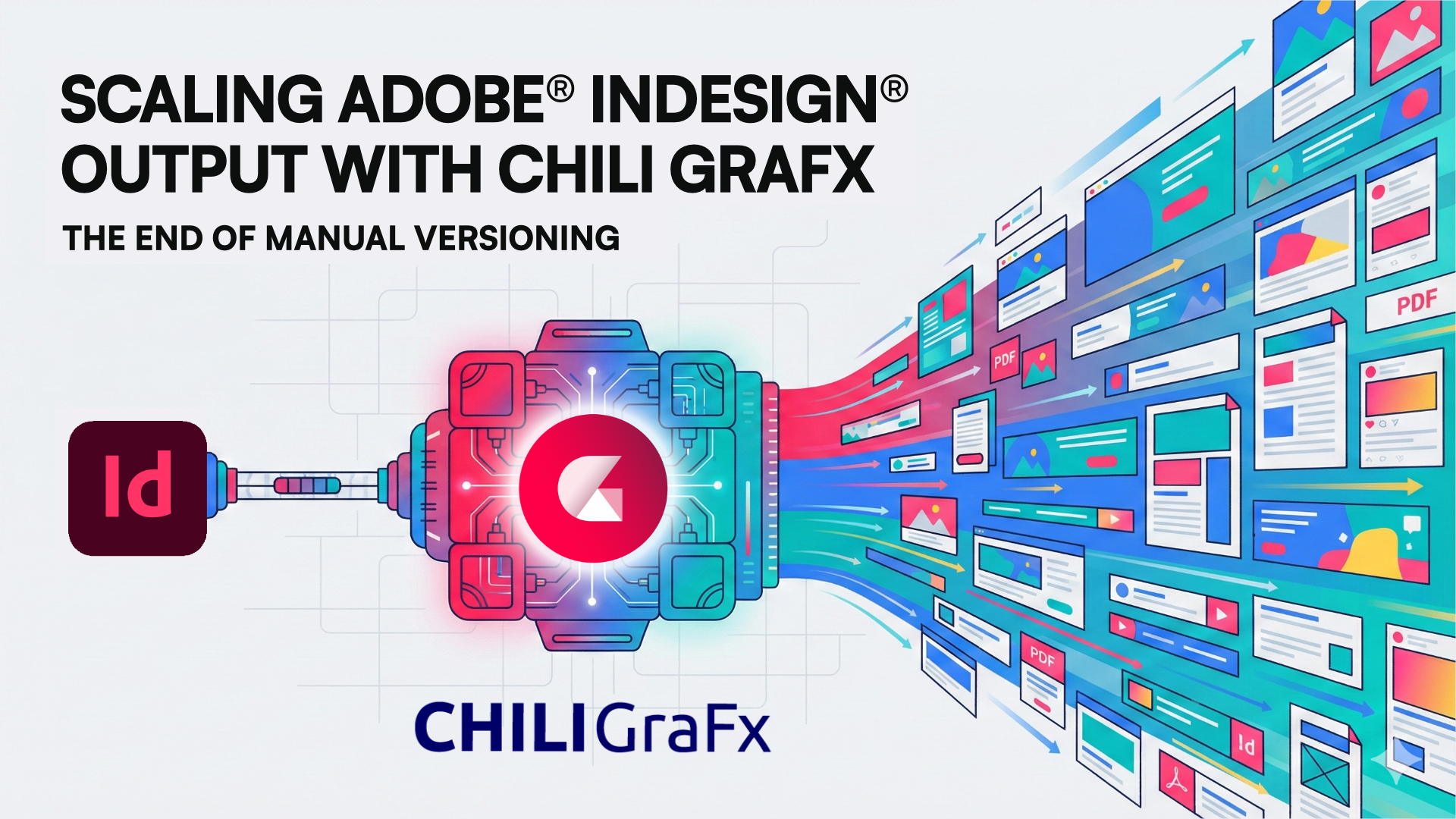
Every enterprise has an Adobe® InDesign® design backbone: the hero files your studio sweats over, the layouts your brand lives in. But when “one campaign” becomes 196 asset types, 20 markets, and three channels before lunch, that backbone starts creaking.
Heads of Studio and Marketing Ops don’t need another design tool – they need a way to turn great Adobe InDesign work into a governed design system that scales. Faster variant creation, fewer manual edits, ironclad brand control. That’s the business need.
In this post, we'll show how to go from an Adobe InDesign layout to a fully functioning, dynamic layout in CHILI GraFx – importing your file into GraFx Studio, then shaping it into a reusable design system ready for multichannel output. You'll see how to prep for print resizing, HTML5, and data connections (PIM, DAM, CRM, Google Sheets) – then light it up for self-serve use. Same craft. Less grind. More scale.
The Process Demonstrated
Chances are, you’re looking for a straight line from “great InDesign file” to “governed design system that ships variants at will.” Follow the following flow (sorry!), and you’ll reap that outcome. Let’s go.
1 - Export your Adobe InDesign file
Why it matters: The GraFx Studio Exporter for Adobe InDesign captures your design – hierarchy, styling, and all – so your artwork carries over intact.
What to do:
- Install the GraFx Studio Exporter plugin for Adobe InDesign.
- Review your file. Naming layers and frames in InDesign (e.g., "Product_Image," "Headline_Text," "Background_Pattern") can make complex files easier to understand, but it’s not essential.
- Export the package as a ZIP with the GraFx Studio Exporter for Adobe InDesign.

2 - Import into GraFx Studio
Outcome: Your design arrives ready to work with in GraFx Studio.
What happens:
- Upload the zipped package directly into GraFx Studio.
- The plugin automatically imports your layout and keeps as much as possible editable.
- When InDesign features differ from GraFx Studio, the import guides you through a simple choice: keep the element visually identical (imported as a non-editable vector), or keep it editable and dynamic (accepting minor visual differences).
- This preflight-style flow means you're never surprised by edge cases later – you've already made the call, with full visibility, before moving on.

3 - Refine the Layout
Outcome: A lean, future-proof layout that’s easy to govern and extend.
What to do:
- Strip out elements that won't be needed in production – text, objects, or layers that will never be visible or dynamic.
- Where needed, separate grouped or flattened elements so each object can be individually targeted, locked, or made data-driven.
- Add any missing graphic elements directly in GraFx Studio to complete the master.

4 - Define business logic
Outcome: From static artwork to a reusable design system your ops can trust.
Actions in this stage
- Assign variables to text, images, and colors that will change across markets or channels.
- Create friendly display labels for user-facing fields (e.g., “English (UK)” instead of “EN_UK”).
- Use Actions to control behaviors (e.g., auto-fit headlines, price formatting, hide-on-empty copy).
- Invite GraFx Genie – our AI agent – to suggest variable mappings and starter rules, then refine. You stay in control; AI does the grunt work.
5 - Configure layouts and variations
Outcome: One design system, many outputs – without rebuilding from scratch.
Examples to try:
- Define multiple layout versions under one master (e.g., placard, window cling, postcard, digital banner - you name it).
- Print resizing, the smart way: apply layout intents, anchoring, and layout presets so one layout flows across multiple print sizes while protecting brand geometry and hierarchy.
- Use conditional logic to show/hide elements by brand, region, or format (e.g., swap logos, toggle legal blocks, change price styles).
6 - Test and refine
Outcome: Fewer surprises in production; faster approvals.
What to do:
- Preview each variation to confirm layer order, color fidelity, and data-driven behavior.
- Use Run mode to interact with the layout as an end user would – see and catch edge cases early.
- Build lightweight quality gates (min logo size, safe areas, approved color swatches) to protect brand integrity at scale.
- Tweak positioning or styling to match the reference PDF precisely where needed.
7 - Output and scale
Outcome: Multichannel output on command – print, digital, and animated.
What to do:
- Enable the design system for end-user customization (GraFx Experience), with digital and print-ready output, or data-driven production – the same layouts support both models.
- Connect data when needed (Google Sheets, PIM, DAM, CRM) via the Connector Framework for automated population and batch runs.
- You can also create and output animated output from your designs, and if you need HTML5, it’s right at your fingertips.
8 - Deploy
Outcome: Your teams can self-serve on-brand variants – immediately.
What to do:
- Publish the material to GraFx Experience so approved users can find, adapt, and export assets safely.
- Configure availability and naming so “Template X” (your imported InDesign system) appears in the right Collections for creative production.
- Start outputting at scale!
Conclusion and CTA
If your studio is swimming in InDesign files but starving for scale, this is your bridge. Import once, turn layouts into a governed design system in GraFx Studio, and ship multichannel variants without the late-night rebuilds. Same creative standards, radically less operational drag.
Want to see it work with your files? Request a demo and we’ll show you how quickly an InDesign layout becomes a dynamic, multichannel workhorse – ready for print, HTML5, and static and animated images
Product

Ward De Langhe
Jan 13, 2026
Sign up for blog updates
Related articles
Product,
Marketing

Bram Verniest
Feb 25, 2026
Partners

Umesh Kumar Gope
Jan 21, 2026

