

Developer Experience is a brand governance feature
Developer experience usually gets filed in the wrong drawer. It shows up as a courtesy to the engineering team, somewhere below the roadmap and – on a good day – just above the office snacks. That filing is wrong: for teams building platforms, developer experience belongs right next to brand control – and this week's CHILI GraFx releases show why.
Governance doesn't live in an interface
Take our own platform as the case in point. In CHILI GraFx, governance does not live in an interface. It lives in the design system underneath. Which means the quality of the tooling around that system – the API, the documentation, the error messages, the debugger – decides whether your brand rules actually reach the places where content gets produced.
To make that concrete, let's follow one retail campaign through four sets of hands – a designer, a store owner, an automated job, and the developer who wires it all together. And then show how this plays out in this week's releases – inside a tool most of our customers will never open.
One campaign, four sets of hands
The first set of hands is a designer at HQ. She builds the campaign in GraFx Studio: brand colors, approved imagery, the right fonts, and the rules that keep everything consistent. A design system is not just a file. It is the brand logic, the guardrails, and the creative framework in one.
She also adds conditional logic. A discount variable lets users enter a percentage. When that discount crosses a threshold, an extra asset appears to highlight the offer. She describes the behavior in plain language and GraFx Genie writes the script using the context of the design system – it already knows her variable and frame names – and she reviews and approves it.
The second set of hands is a store owner. It's Thursday afternoon, the sale starts Monday, and there's no designer available. She opens her portal, finds the campaign, picks her layout, updates the headline, swaps in the local offer, and downloads a print-ready file. She cannot move the logo. She cannot delete the legal footer. GraFx Brand Kits applies the colors, fonts, and styles automatically, so she never needs to read the brand guidelines to stay compliant.
Designers create. HQ publishes. Local teams activate. Users do not design – they execute.
Nobody reviews her file afterward. The checking happened inside the system, before the file existed.
The invisible hand: automation through the API
The third set of hands is not a person. It's a job.
Everything available in the interface is also available through the API. The same design system, the same rules, called headlessly. Ten thousand assets, no browser open, no human in the loop. Triggers fire the same way whether an end user changed a value in the editor or a condition was met during batch output.
Governance did not need to be re-implemented for that path, because it was never in the interface to begin with.
This also changes the economics of integration work. What used to be a budgeted project with a kickoff meeting can now start with a coding agent pointed at the API. Proof of concept in an hour. Working system in days. And the guardrails come along for free.
Think of it as an agent at each end. One helps write rules into the design system. One builds the automation that runs against them. Neither can break the rules, because the rules are not guidance – they are enforced by the system that produces the file. Actions run inside a contained runtime with their own execution limits, and circular trigger references are detected and stopped.

Making CHILI GraFx easy to build against
That whole model collapses if the platform is hard to build against. This is developer experience, concretely – and it decides whether everything above survives contact with reality.
Someone has to connect the PIM. Someone has to wire up the DAM. CHILI GraFx is DAM-agnostic, which is a good thing right up until the moment somebody has to write the connector. For that person, four things are non-negotiable:
- A coherent API
- Documentation that is correct, not roughly correct
- Error notifications that say what's failing
- Tooling that shows what is happening while you’re working
The fourth set of hands is that developer. Their day is query, copy an asset ID, run detail, wonder why the local build behaves differently from production. If the fourth set of hands has a bad day, the first three never happen.
This week's CHILI GraFx release
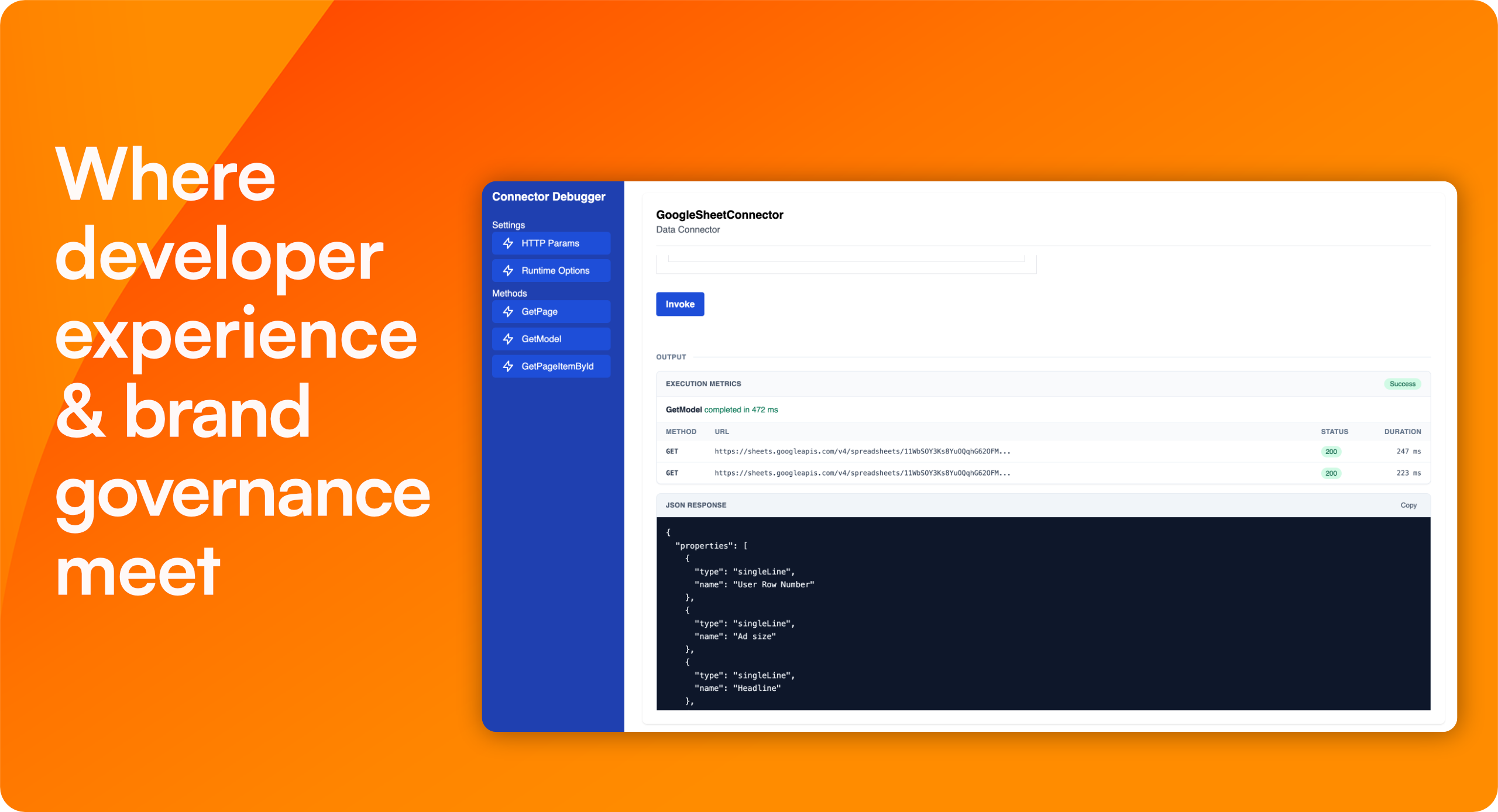
The gap between "it works on my machine" and "it works once published" is where connector development time disappears. Connector CLI v1.12.1 closes that gap in the local debugger. Here’s what changed – and if you’ve ever built a connector, each one of these will land.
Before: you invoked a method, got a response, and guessed at the rest.
Now: an Execution metrics panel sits alongside the output, reporting whether the call succeeded or failed, how long it took, and every outgoing fetch with its URL and timing. If a method made no external calls, the panel says so explicitly – a fast way to confirm a caching path works as intended. Errors are visually distinct from successful responses, and formatted JSON copies to your clipboard in one click.
Before: testing detail or download meant running query, copying an ID out of a JSON result, and dragging along stray quotes and braces that made the method fail.
Now: fields that expect an ID normalize what you paste, extracting the ID and discarding the surrounding JSON.
Before: you remembered a flag, or you debugged a stale build.
Now: run connector-cli debug and it recompiles connector.ts on save and reloads the tab. TypeScript compilation problems are raised as errors instead of silently leaving old code in place.
Before: await sleep(...) failed locally and worked in production, which is the worst possible combination. The helper existed in the connector runtime but not the debugger.
Now: the debugger provides it too, so polling and back-off logic can be tested before deployment.
Why debugger details are brand governance
A handful of debugger improvements, in a tool most of our customers will never open. That’s exactly the point.
Care in the least visible corner of a product tells you what to expect from the visible ones. If we cut corners where nobody is watching, that carelessness surfaces somewhere a customer can see it.
Come back to the designer's rule from the start of this story. It is enforced identically for the store owner on a Thursday afternoon and for the batch job at 3 a.m. It got there because the developer wiring up the data source had tooling that provided clear and accurate information.
Developer experience is not a courtesy to engineering. It is how brand governance reaches production. Same platform, same standard, every audience.
Product

Bram Verniest
Aug 5, 2026
Sign up for blog updates
Related articles


